Using Tailscale on Azure App Service
Last validated: Jan 5, 2026
Azure App Service is a popular cloud-hosting platform for running applications without managing servers yourself. However, it can be difficult to use Tailscale on Azure App Service, since it doesn't provide a /dev/net/tun device that Tailscale needs.
You can use Tailscale's userspace networking mode to connect your apps to your Tailscale network.
Step 1: Generate an auth key to authenticate your Azure App Service apps
First, we'll generate an auth key to allow Azure to authenticate our app to join our network.
Open the Keys page of the admin console and select Generate auth key. We recommend using an ephemeral key for this purpose, since it will automatically clean up devices after they shut down.
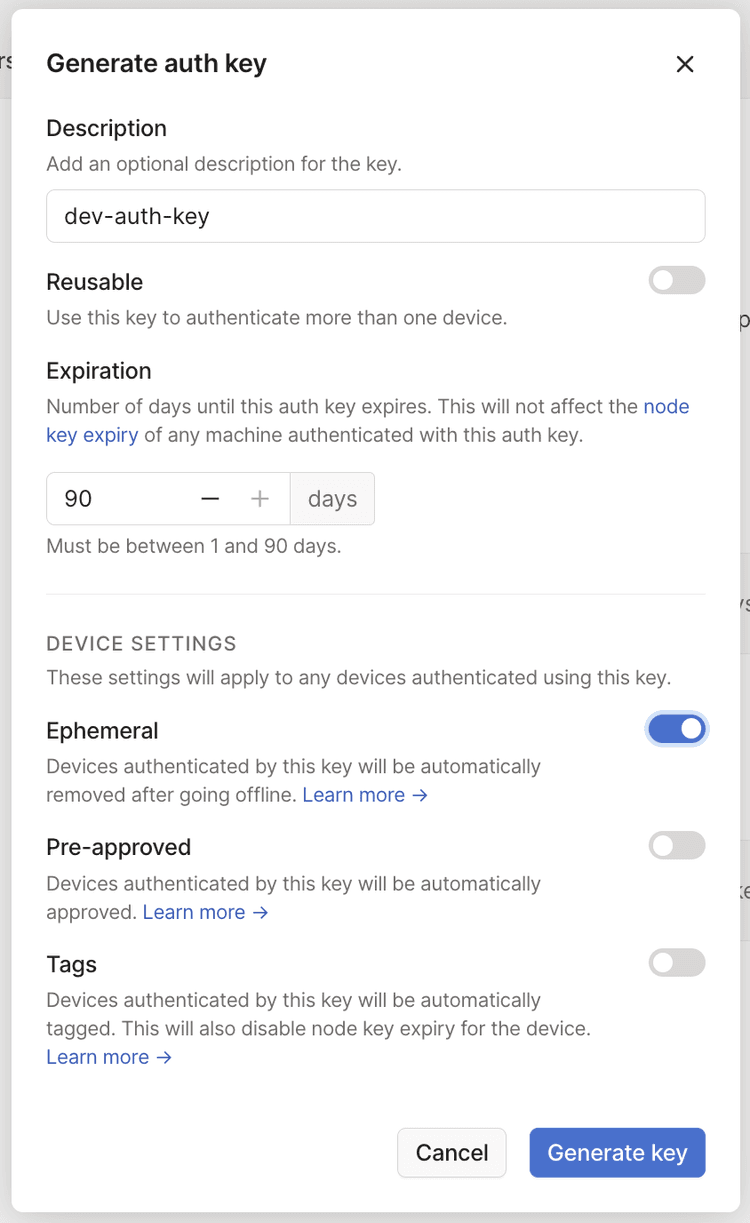
The Pre-approved option will only display in the dialog if device approval is enabled in your Tailscale network.
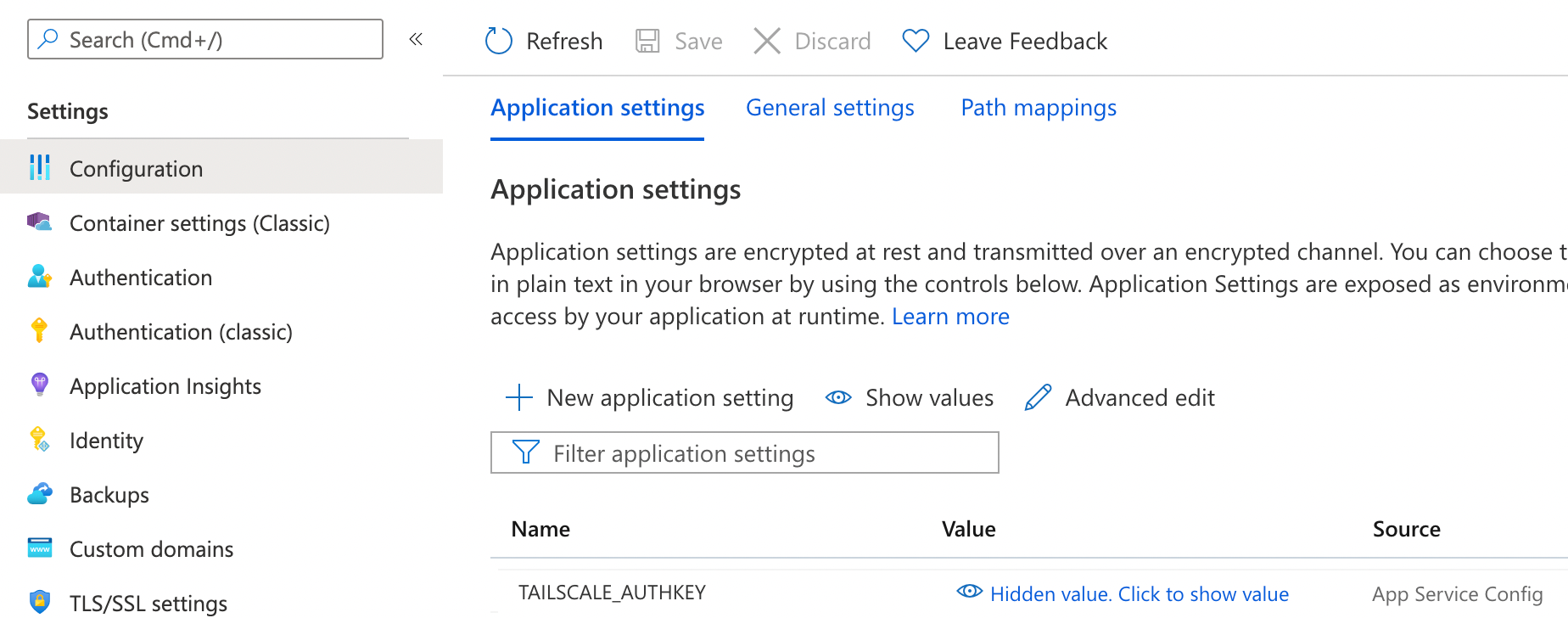
Next, go to the Azure Portal and then the Configuration page for your app. For Config Var, create a variable named TAILSCALE_AUTHKEY, with the tskey-<key> value you just created.
Step 2: Configure your Dockerfile to install Tailscale
We recommend using a multistage Dockerfile where the first stage builds your application, and the second stage pulls application code and Tailscale into the final image to be uploaded to Azure.
-
Create an
sshd_configfile and add it to the Docker build directory. If this file does not exist before building the Dockerfile, the build will fail. -
Create a
start.shfile at the root of your app. The Dockerfile specifies/app/start.shas the initial process to run. This script needs to bring Tailscale up and then start the application binary. Use theTAILSCALE_AUTHKEYvariable defined earlier when you bring Tailscale up.
Here's a start.sh example file. Make sure to replace values needed for your build.
#!/bin/sh

/usr/bin/ssh-keygen -A
mkdir -p /var/run/sshd
/usr/sbin/sshd

/app/tailscaled --tun=userspace-networking --socks5-server=localhost:1055 &
/app/tailscale up --auth-key=${TAILSCALE_AUTHKEY} --hostname=azure-app
echo Tailscale started
ALL_PROXY=socks5://localhost:1055/ /app/my-app
- Create a
Dockerfileat the root of your app and include the following details. Make sure to replace values needed for your build.
FROM golang:1-alpine3.21 AS builder
WORKDIR /app
COPY . ./
# This is where one could build the application code as well.
FROM dotnetcore-docs-hello-world-linux.

FROM alpine:latest
RUN apk update && apk add ca-certificates bash sudo && rm -rf /var/cache/apk/*

# Azure allows SSH access to the container. This isn't needed for Tailscale to
# operate, but is really useful for debugging the application.
RUN apk add openssh openssh-keygen && echo "root:Docker!" | chpasswd
RUN apk add netcat-openbsd
RUN mkdir -p /etc/ssh
COPY sshd_config /etc/ssh/
EXPOSE 80 2222

# Copy binary to production image.
COPY --from=builder /app/start.sh /app/start.sh
# Change start.sh to be executable
RUN chmod +x /app/start.sh

# Copy Tailscale binaries from the tailscale image on Docker Hub.
COPY --from=docker.io/tailscale/tailscale:stable /usr/local/bin/tailscaled /app/tailscaled
COPY --from=docker.io/tailscale/tailscale:stable /usr/local/bin/tailscale /app/tailscale
RUN mkdir -p /var/run/tailscale /var/cache/tailscale /var/lib/tailscale

# Run on container startup.
CMD ["./app/start.sh"]
The next time your Azure app deploys, it will be able to connect to your private Tailscale network.
Remove ephemeral nodes from a tailnet
When an ephemeral node goes offline, it is automatically removed from your tailnet. You can also control ephemeral node removal using the tailscale logout command to either manually force the removal or incorporate the command into the tailscaled Tailscale daemon. For more information, refer to Ephemeral nodes.

Ask AI
reCAPTCHA
Recaptcha requires verification.
protected by reCAPTCHA